Discover on the website.
Introduce the fleet, explain the offer and turn interest into a useful enquiry.

I designed and built a premium London rental ecosystem: a public website, a native customer app and a staff operations app, connected through one shared platform.
Product design & development · React / TypeScript · SwiftUI · Supabase
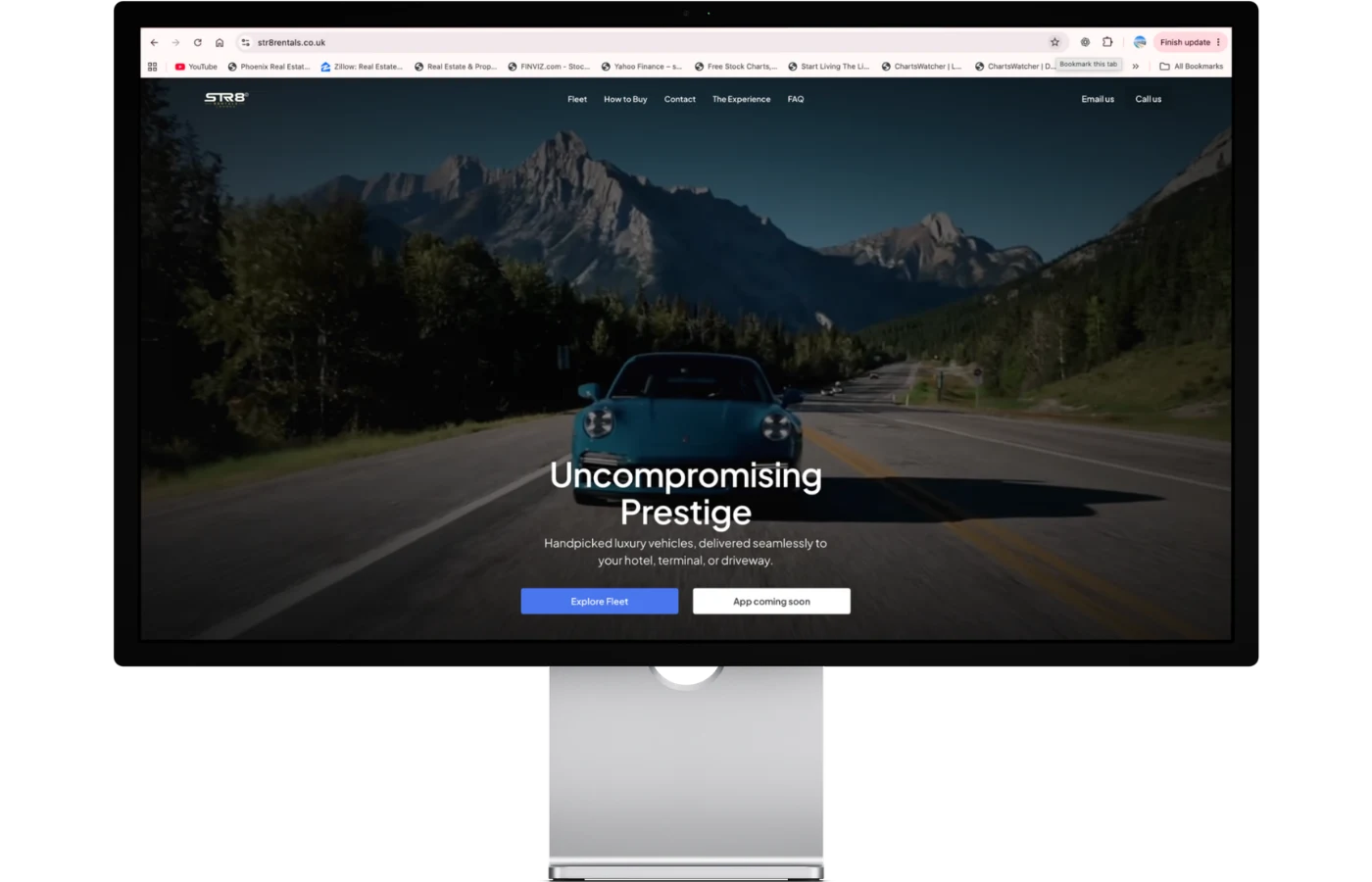
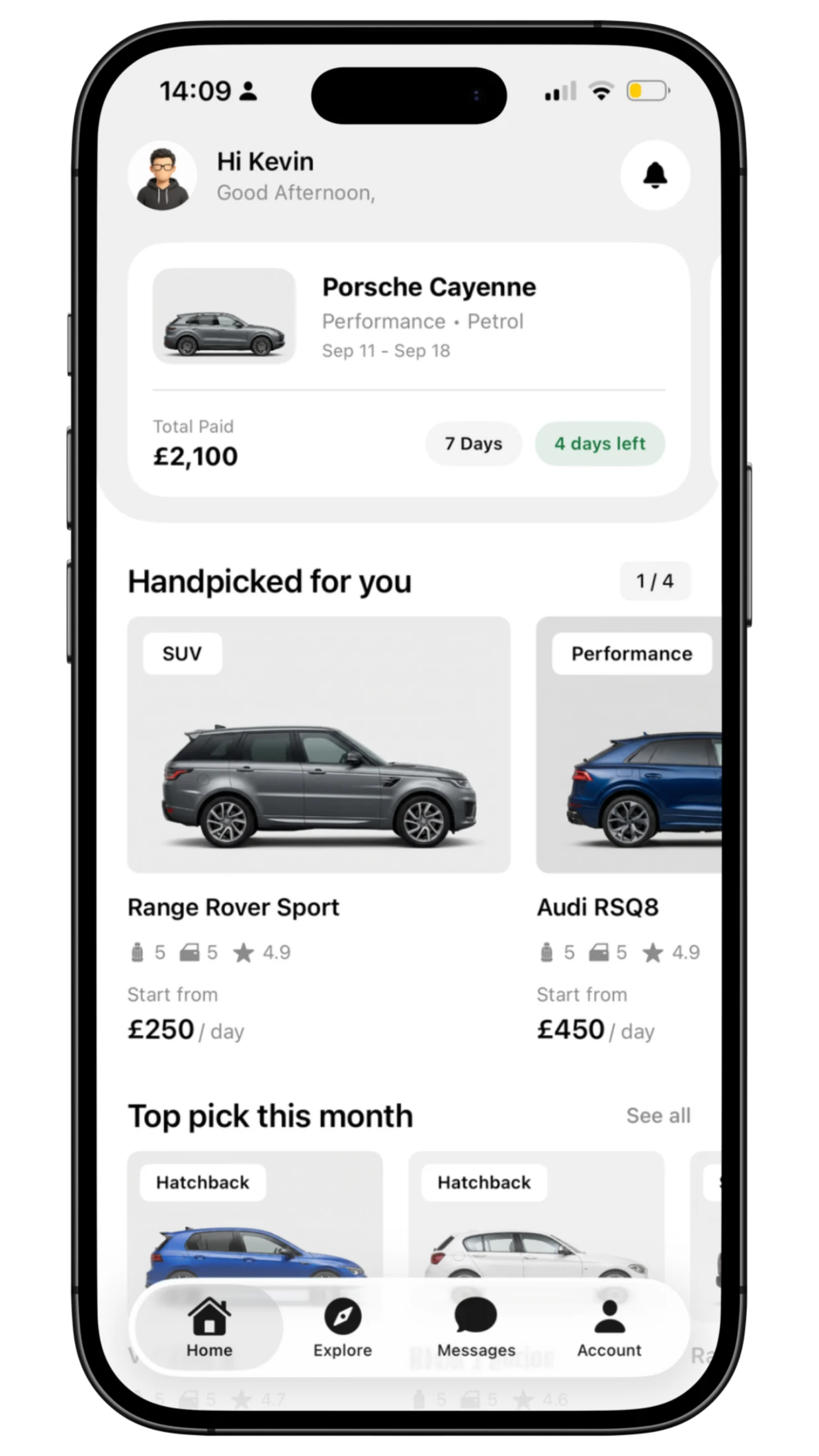
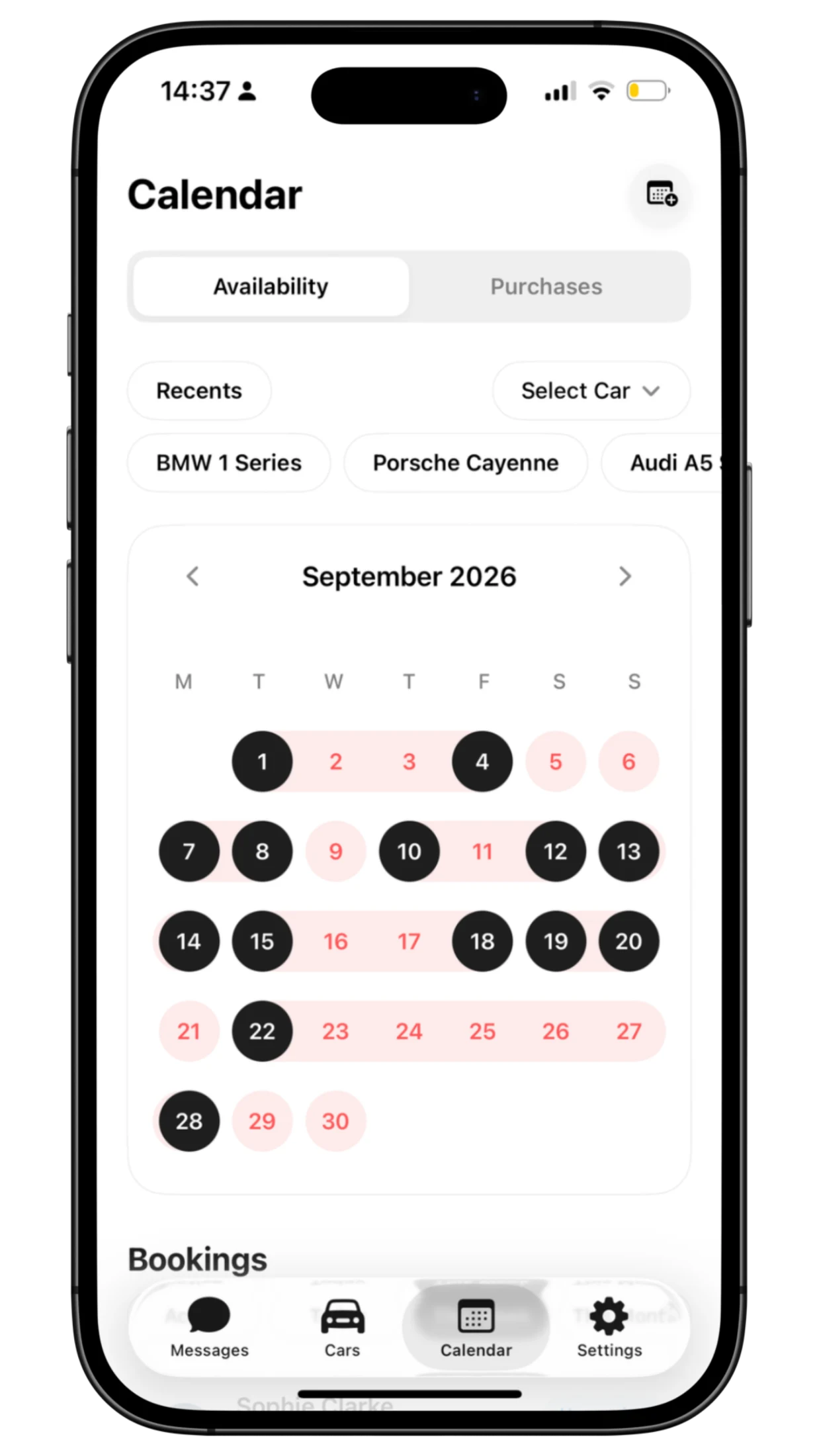
16 supplied STR8 screens are shown in full, with the driving-range interaction featured separately below.
A premium car creates desire. Renting it introduces questions: which model fits the journey, what is included, which dates work, and what happens next?
Behind that choice, staff are coordinating the same car across bookings, servicing, customer checks and support. I approached STR8 as a connected service, giving each audience a clear interface without losing the information that connects them.
Introduce the fleet, explain the offer and turn interest into a useful enquiry.
Explore suitability, review a rental, complete identity steps and get help.
Keep vehicles, availability, customers and service visible to the team.
01
Discover the fleet · Start a useful enquiry
The public experience starts with the cars. I gave imagery space to create interest, then placed the practical information where customers need it to compare and enquire.
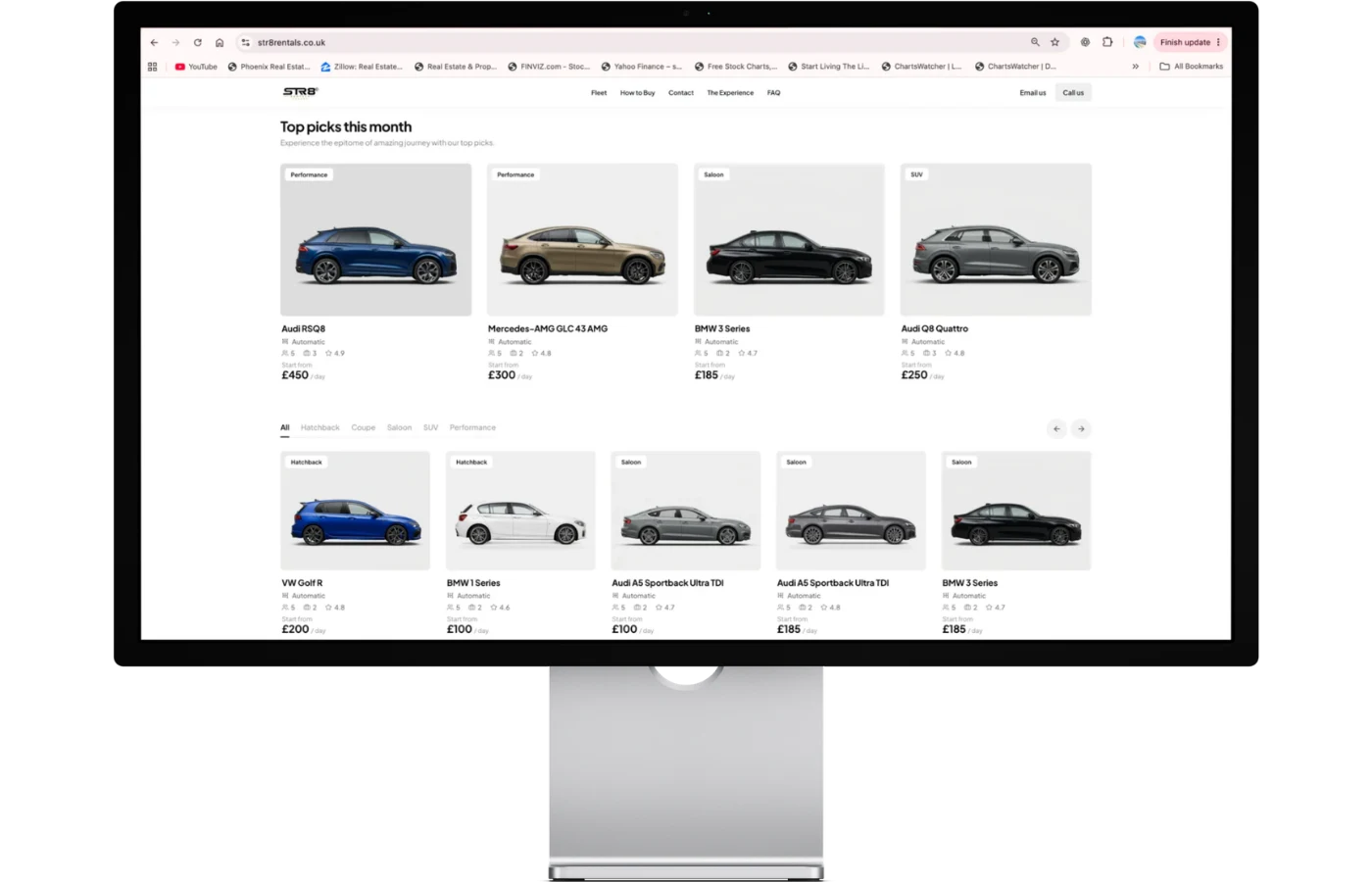
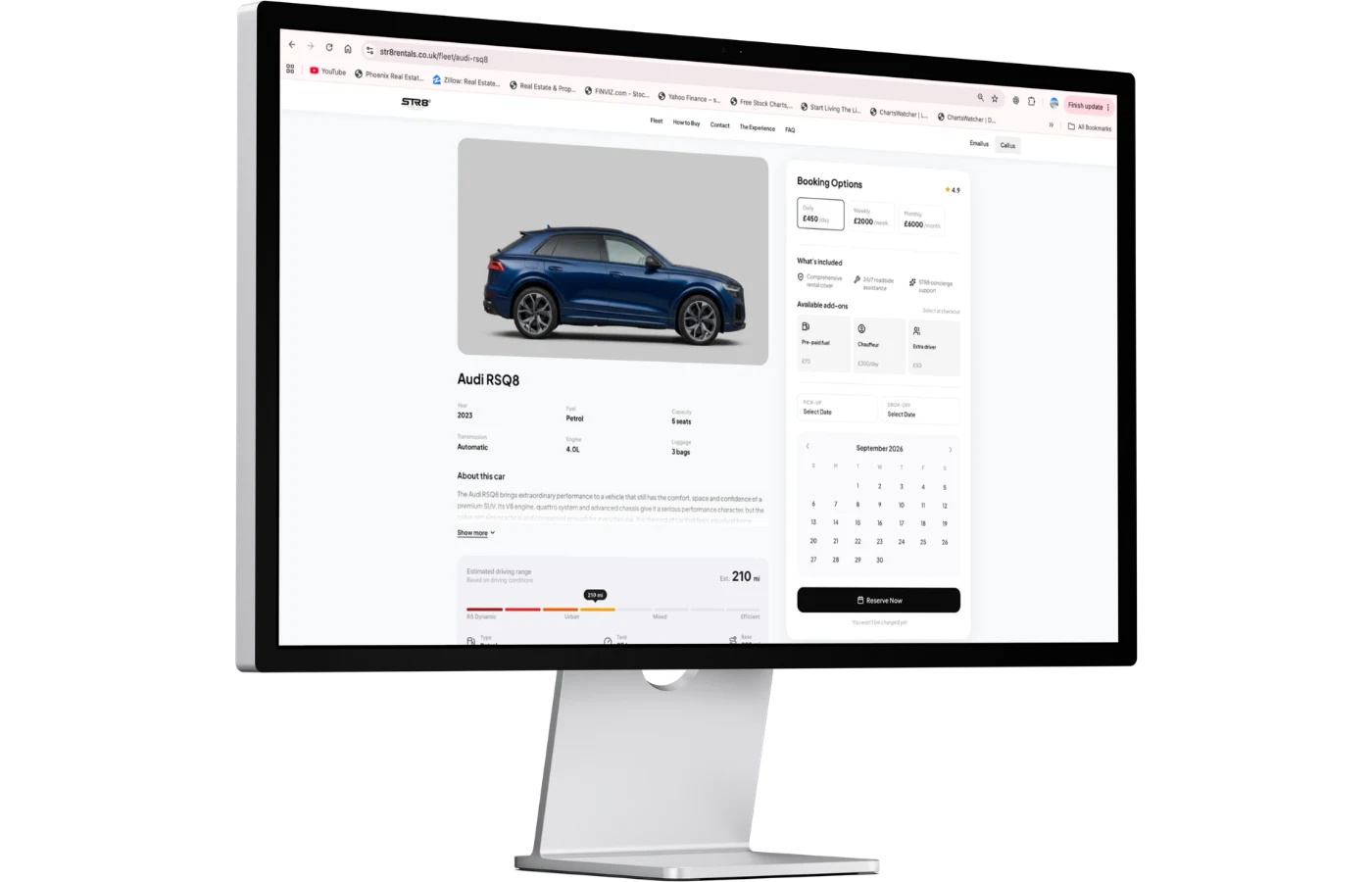
A fleet should be more than a row of beautiful cars. Category filters, rates, specifications and individual vehicle pages give customers several ways to find something that fits.
The composition moves from the overall offer into a specific vehicle. A repeatable imagery system keeps framing, scale and model details consistent as the catalogue grows.
After selecting a car, dates, rate plan and extras, the website prepares a WhatsApp message with the displayed total. The customer can check the details and send the request themselves.
I wanted that handoff to carry their decisions forward. It creates a useful enquiry for the team; it does not automatically confirm a booking.
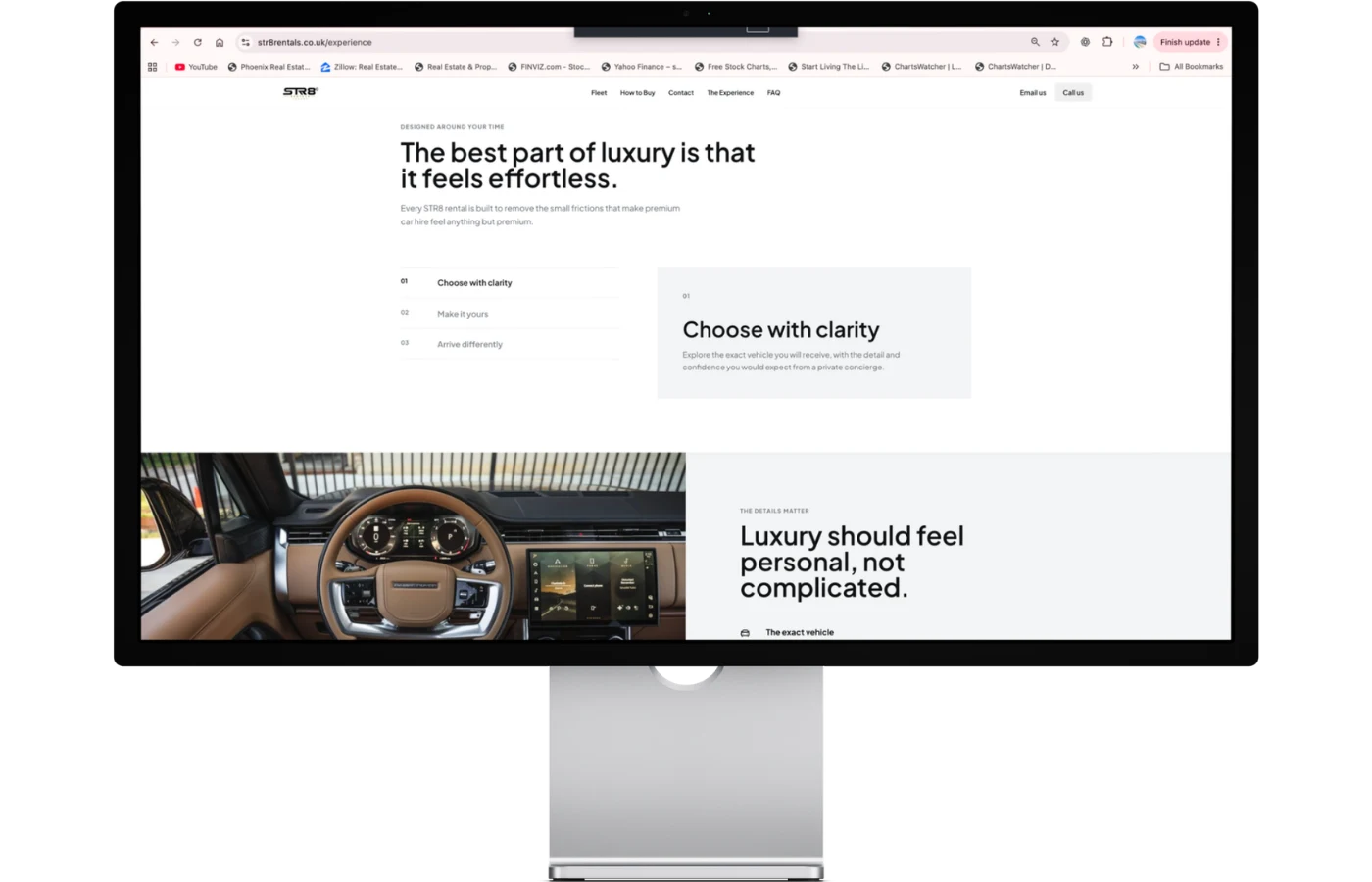
The experience page explains how the rental fits around the customer, from choosing a vehicle to collection and service. It gives the premium promise practical meaning, so customers know what to expect before starting the conversation.
Vehicle, brand and London/location pages create distinct entry points. Generated page HTML, metadata and structured content support that structure; search rankings and traffic gains have not been measured.
02
Choose a vehicle · Plan a rental · Get support
Different customers arrive with different questions. The native experience brings discovery, rental planning and support together, so each decision has a place and the next step remains clear.
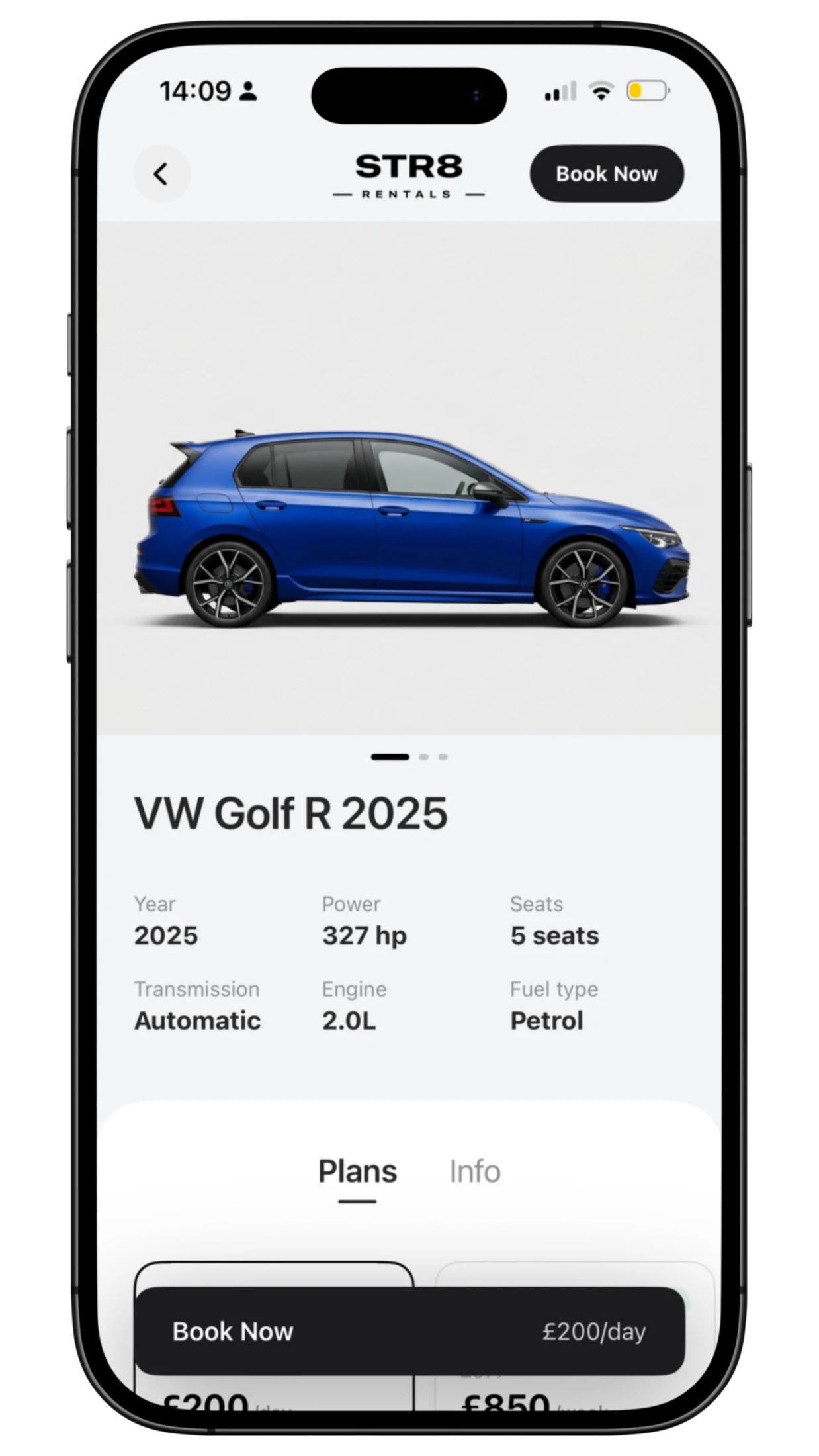
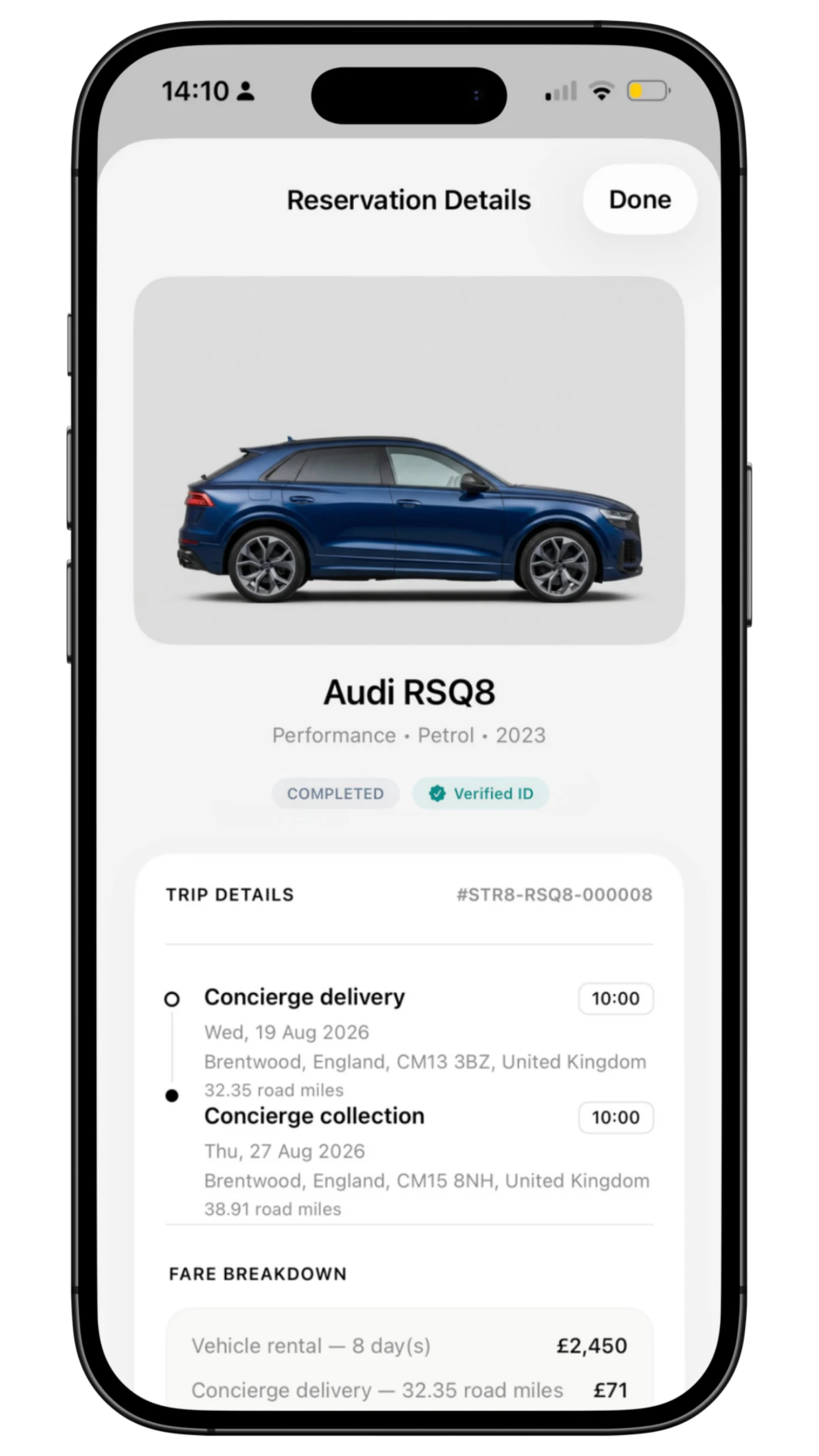
Home, Explore, search, brands and saved cars support different levels of certainty. The detail screen brings specifications, imagery, rates, dates and extras together, then carries the selection into a review of the itinerary and cost.
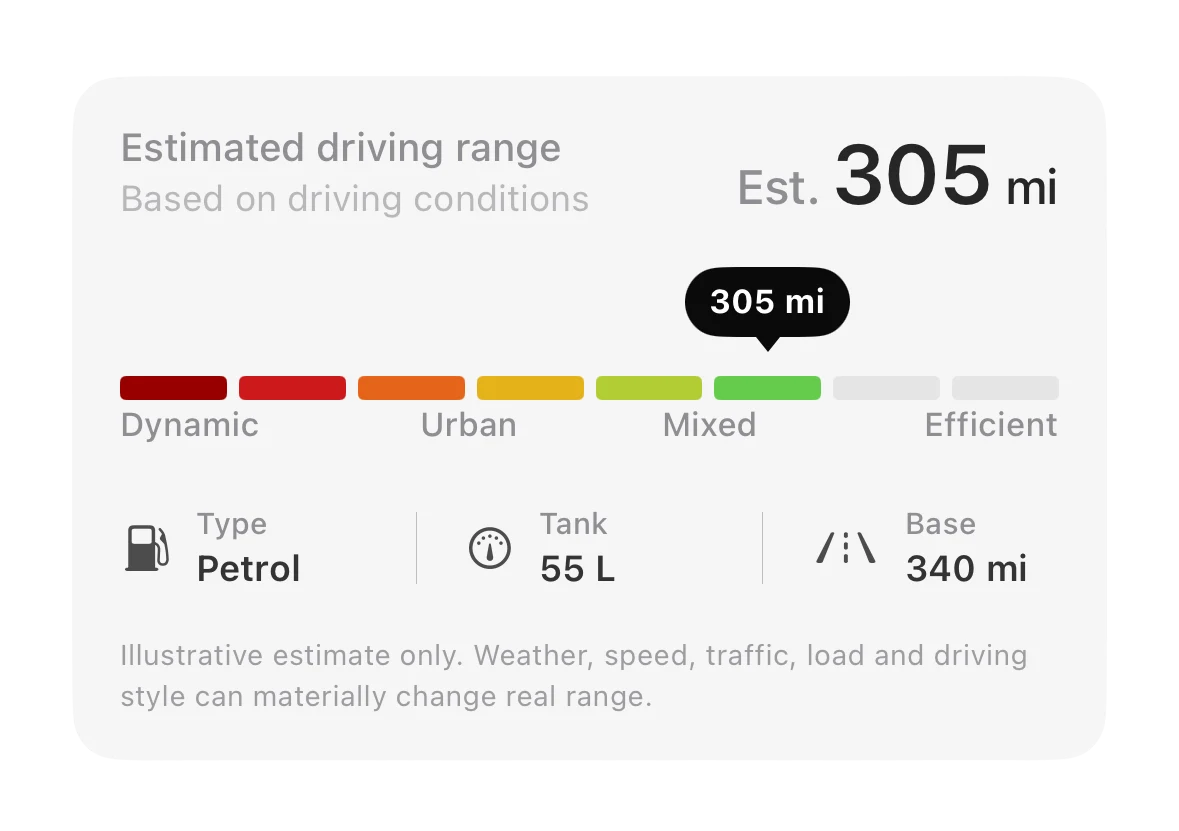
A static mileage specification says little about the customer’s own plans. I made driving range interactive: moving through condition bands updates the estimated miles and a travelling tooltip.
The native interaction uses eight vehicle-specific segments, spring animation and haptic feedback. Fuel type, tank capacity and base range keep the estimate grounded in context.
This is a driving-range estimate. It does not read live vehicle telemetry, calculate a monetary fuel cost or guarantee a particular journey.
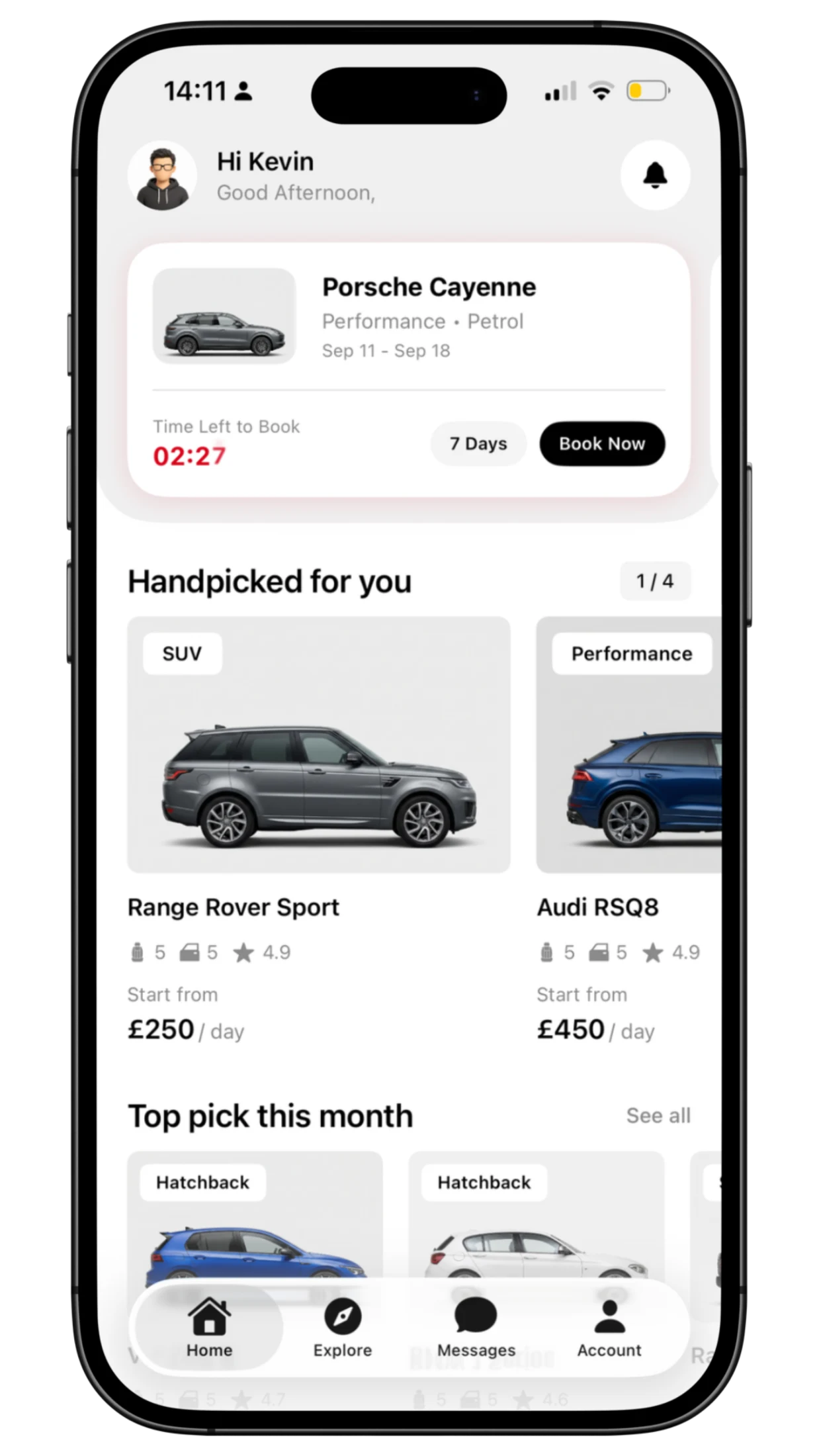
A temporary reservation appears on Home with the chosen vehicle, a countdown and a direct route back to the booking review. The database owns expiry, so the interface reflects a time-limited hold.
That makes the unfinished task visible and recoverable. The implemented confirmation path is a payment demonstration; a live payment-provider integration remains separate.
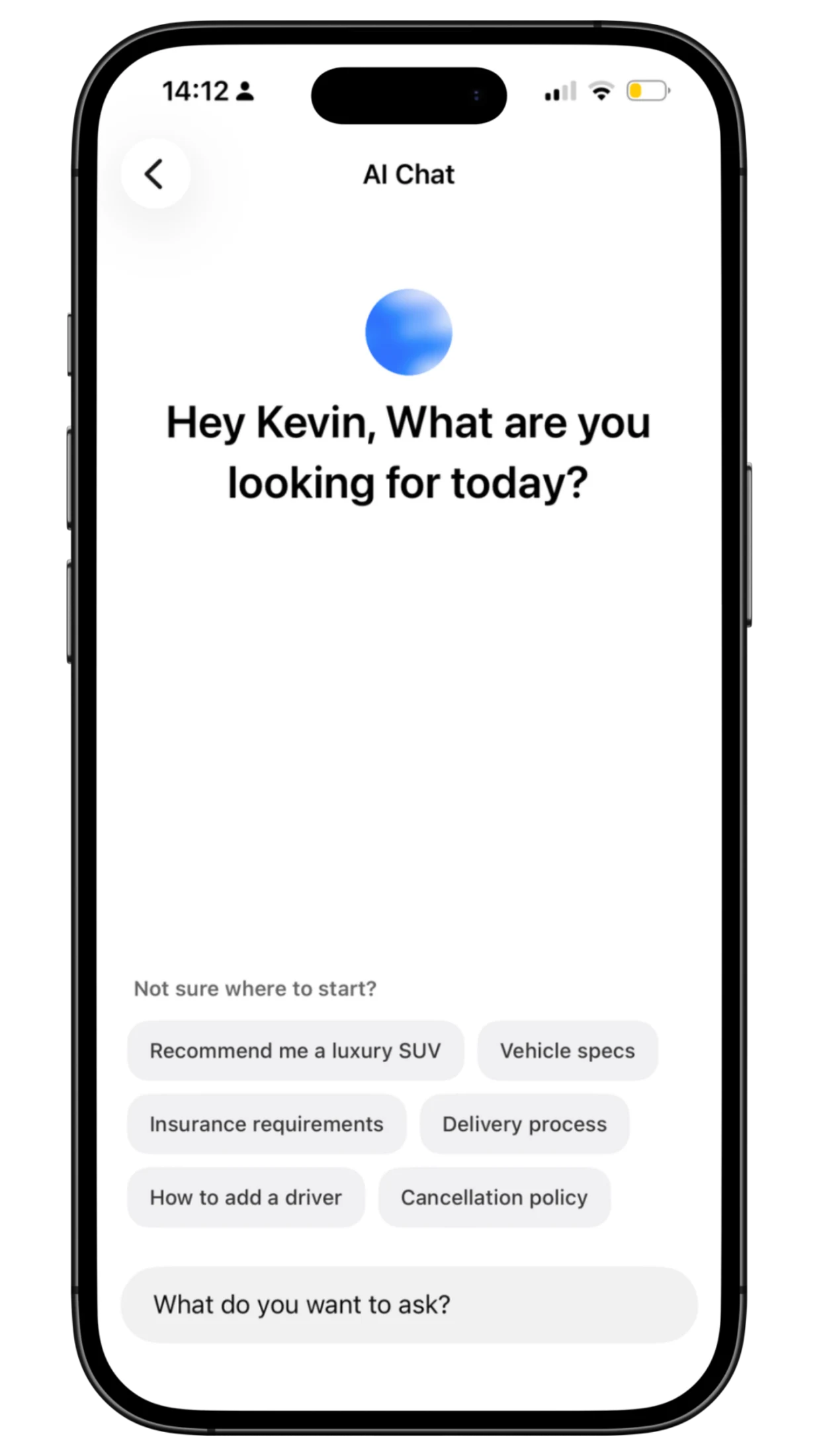
When a customer needs help choosing, vehicle context carries into the AI concierge. Approved catalogue facts inform the response, and recommendations can appear as actual vehicle cards within the app.
The assistant guides the choice. Booking workflows remain responsible for confirmation, while a separate team conversation gives customers a route to human help.
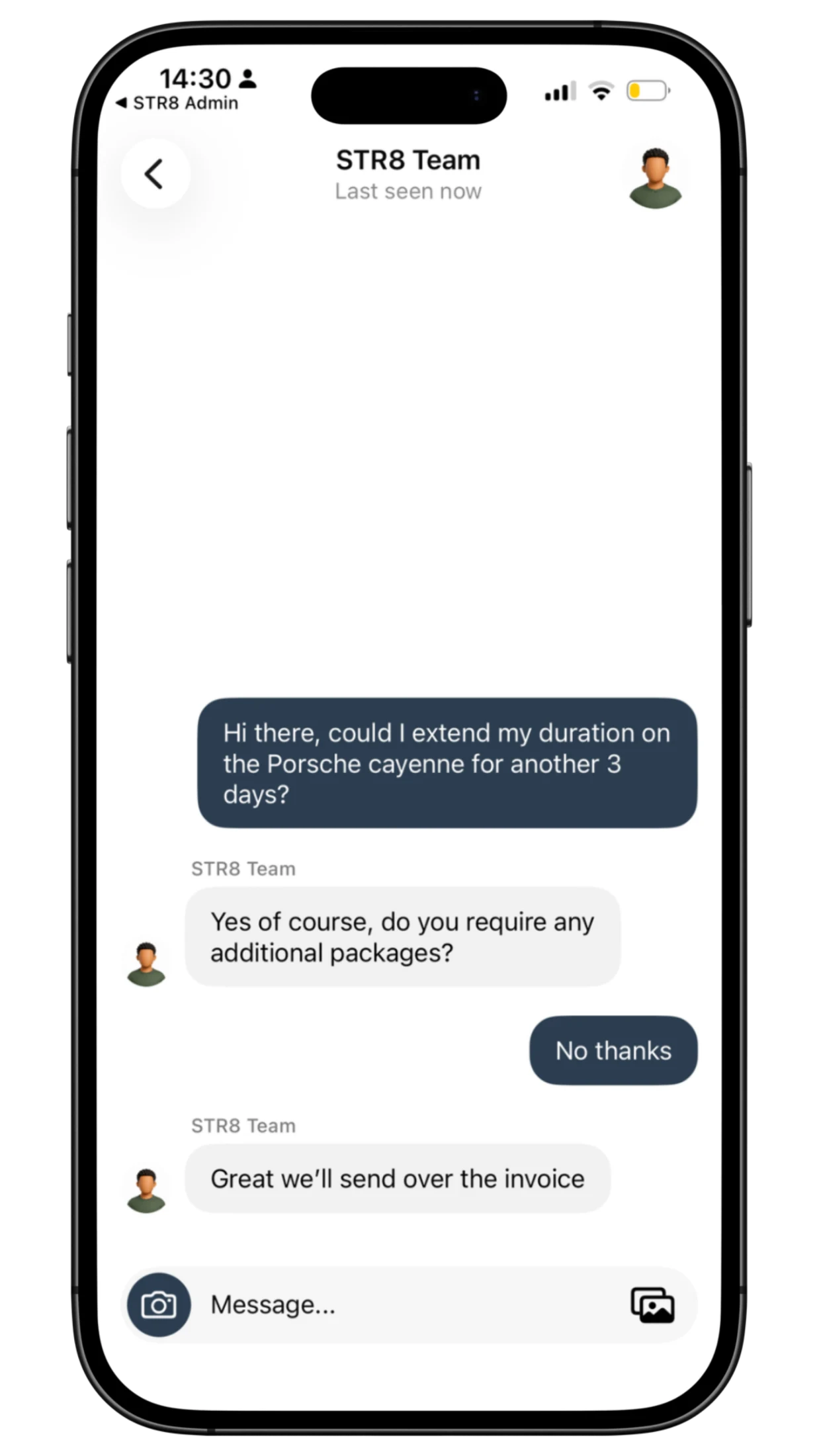
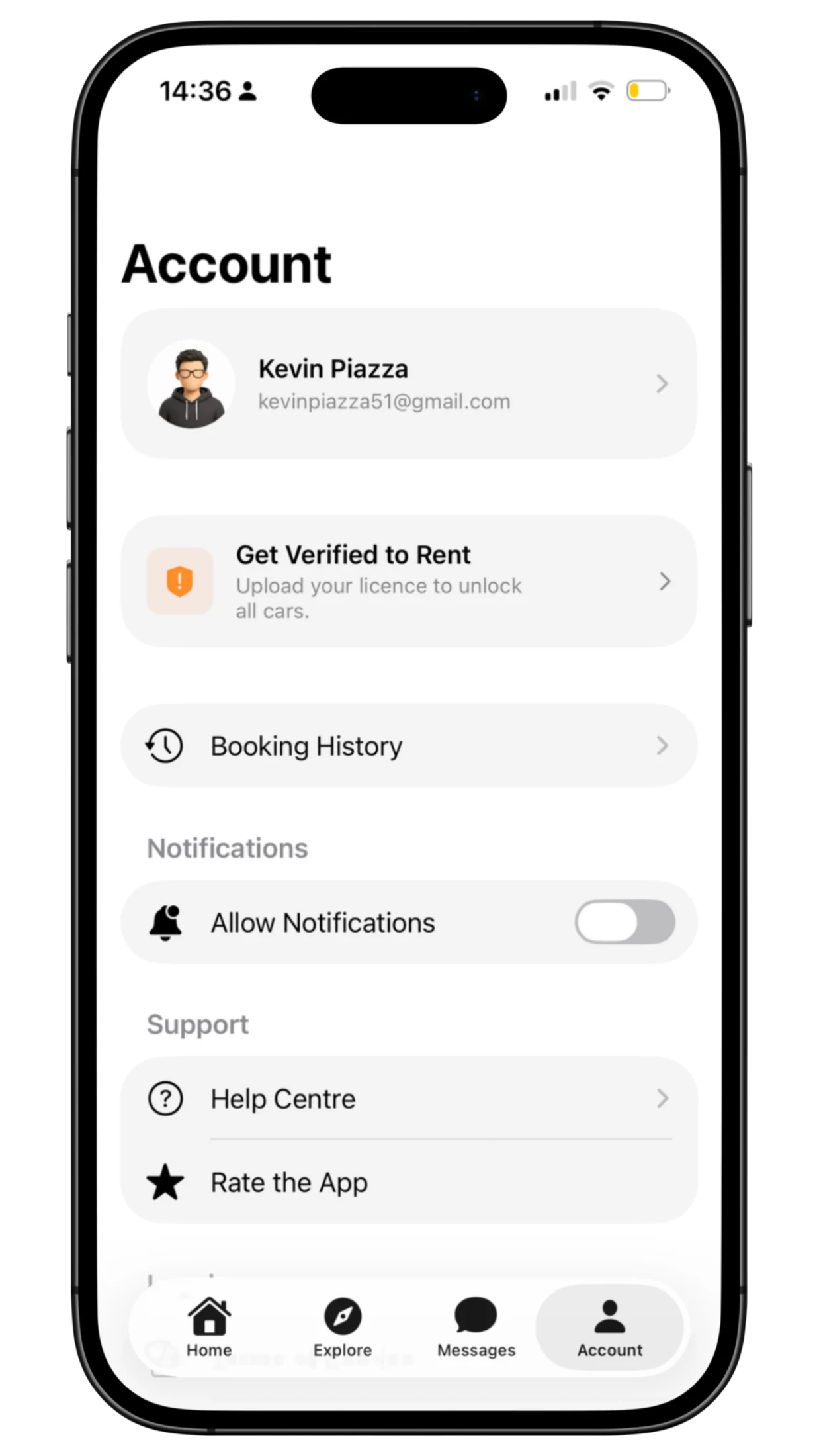
Identity capture, submission and review status make the rental requirement understandable. Uploading a document does not mean approval: authorised staff make that decision. Support stays inside the product, with conversation, read, reaction, typing and attachment workflows represented in the implementation.
03
Run the fleet · Manage bookings · Serve customers
Once a customer chooses a car, the work continues. The staff app connects Messages, Cars, Calendar and Settings, putting fleet maintenance, rental context and customer service into the same working environment.
I separated availability from purchases because they answer different questions. Servicing can make a vehicle unavailable without generating revenue. Staff need to see both what can be rented and what has actually been sold.
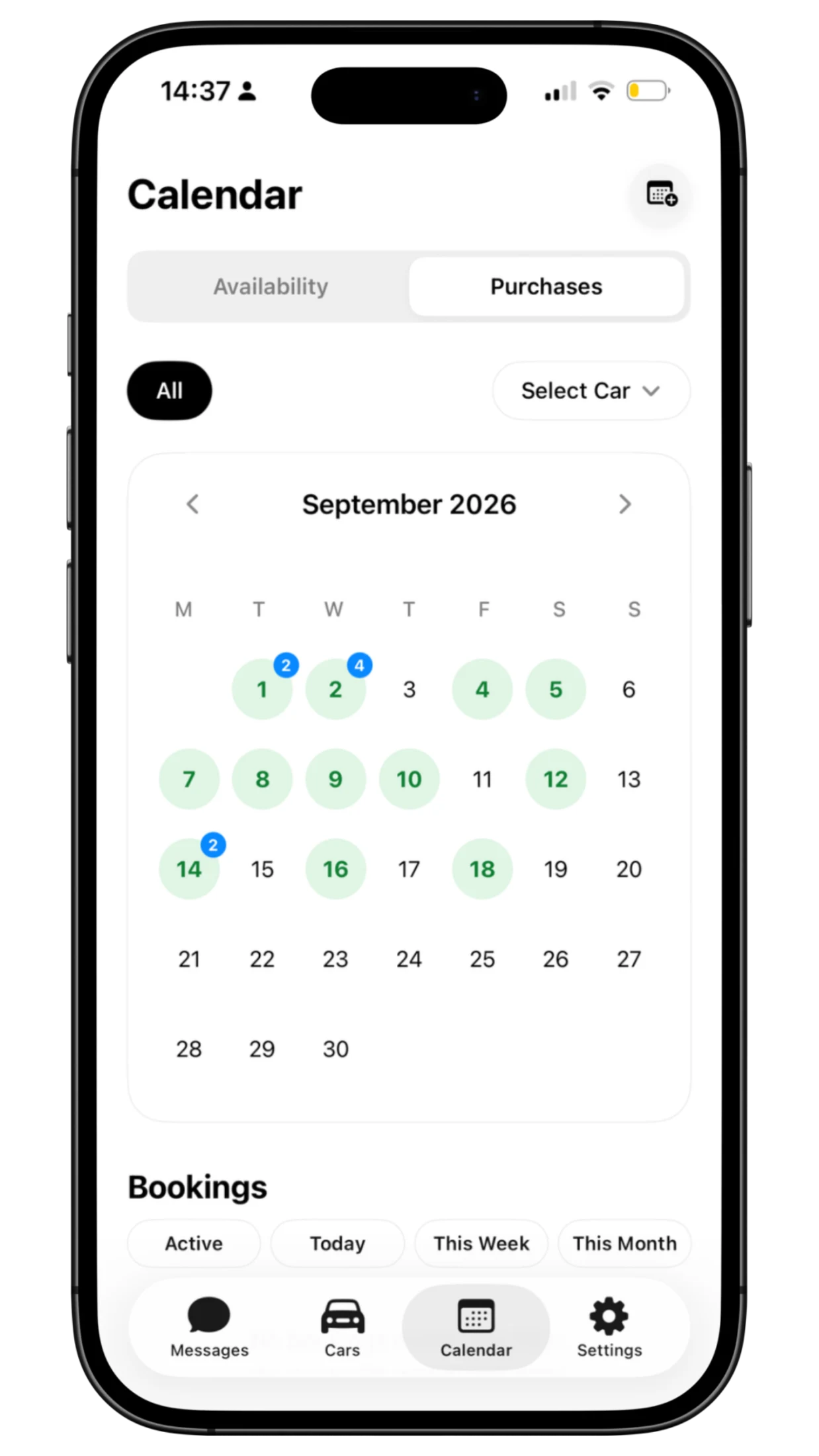
Staff can record an additional purchase or add a manual availability block when a car needs servicing, an MOT or another operational arrangement. Colour-coded entries make the reason visible, keeping real-world changes in the same calendar as customer rentals.
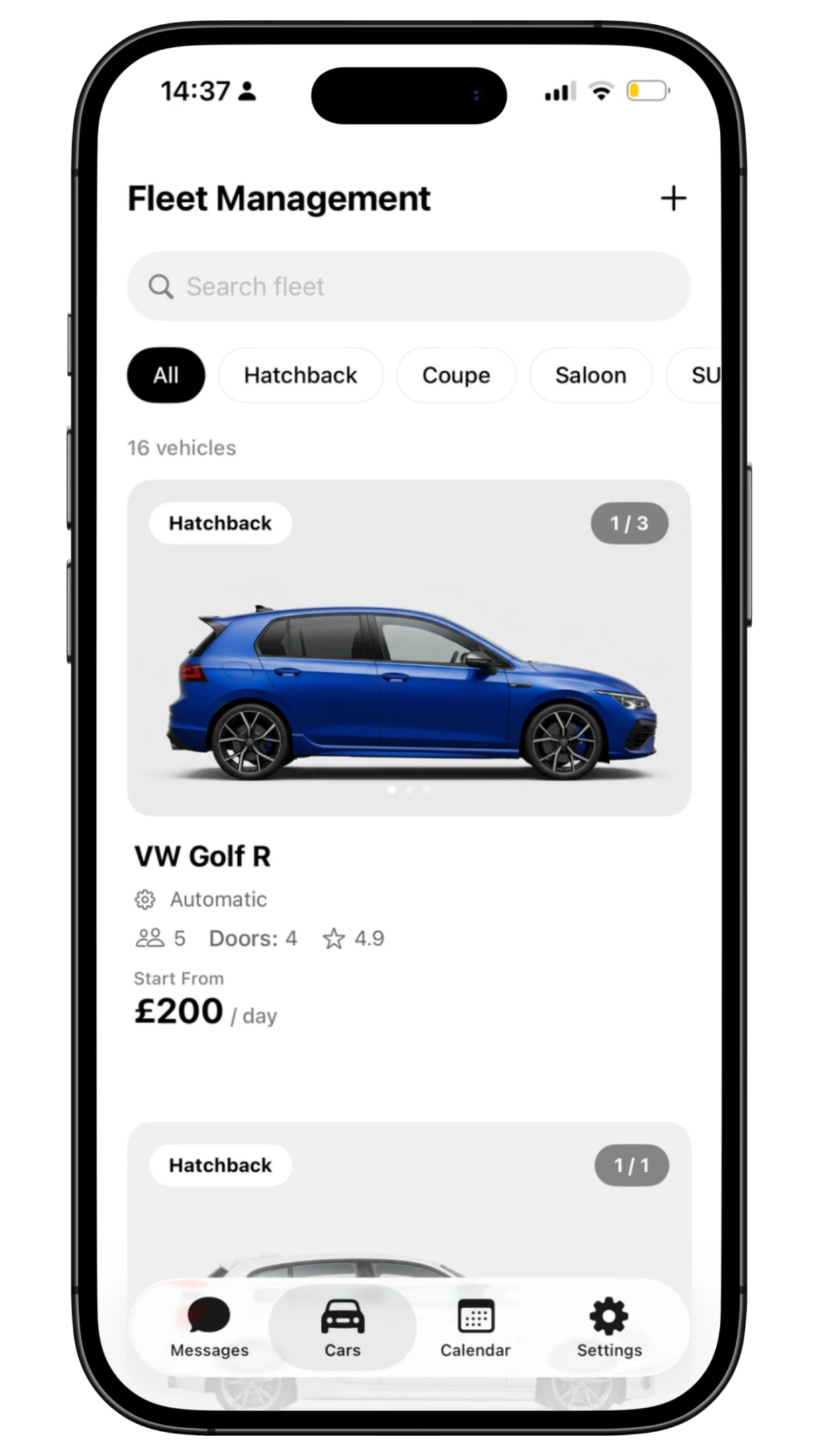
A guided add-car wizard and fleet editor give staff a structured way to maintain vehicle information, rates and media. Shared records support the public showroom and customer app.
Public listing content stays separate from private operational details. The staff record can carry what the business needs without publishing it to customers.
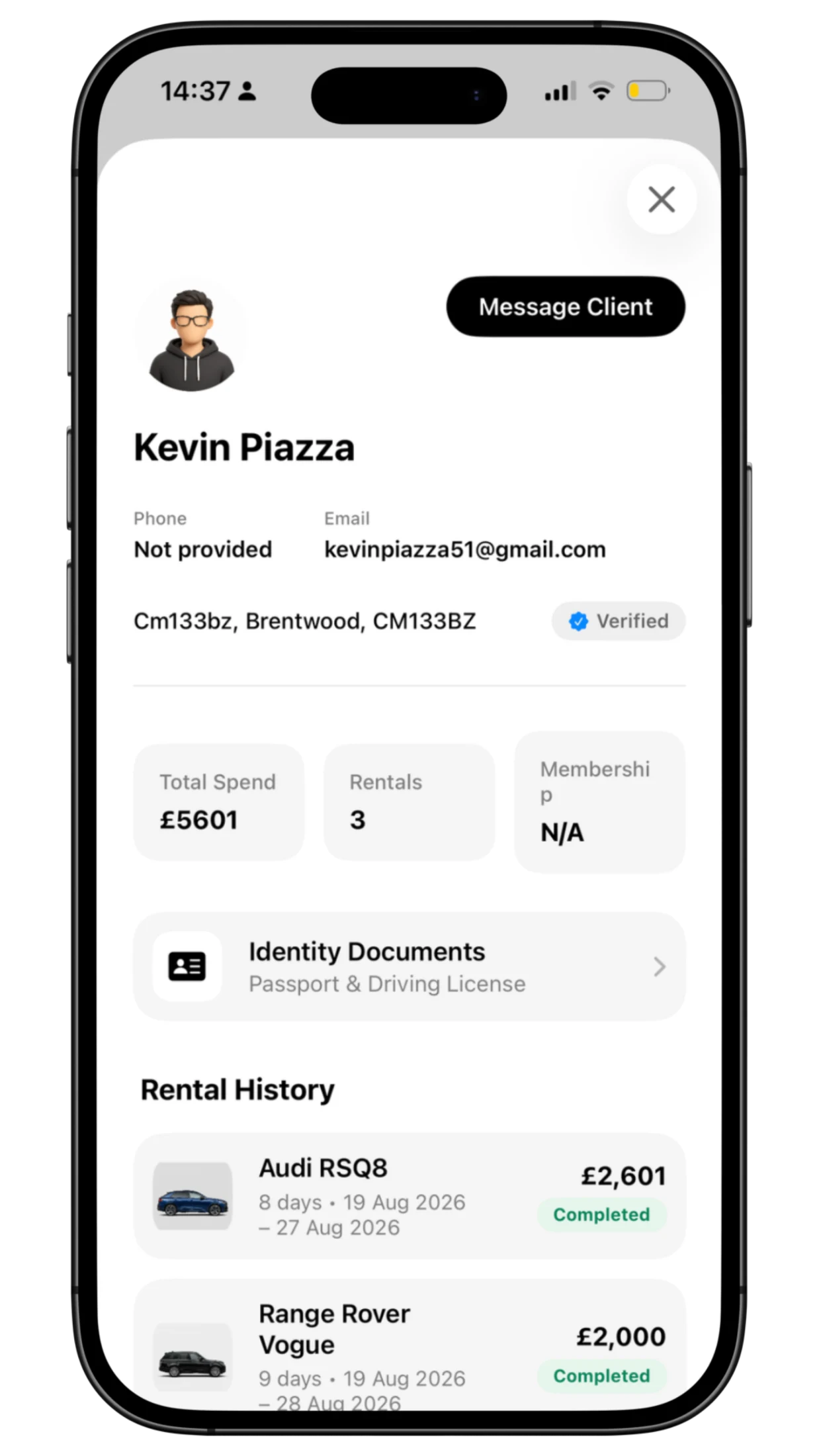
Customer profiles bring details and rental history together. Identity review has its own queue and controlled document access, rather than treating sensitive files as ordinary message attachments.
The team inbox sits alongside those tools, with active and archived conversations. Staff can continue the service with the relevant customer and fleet context close by.
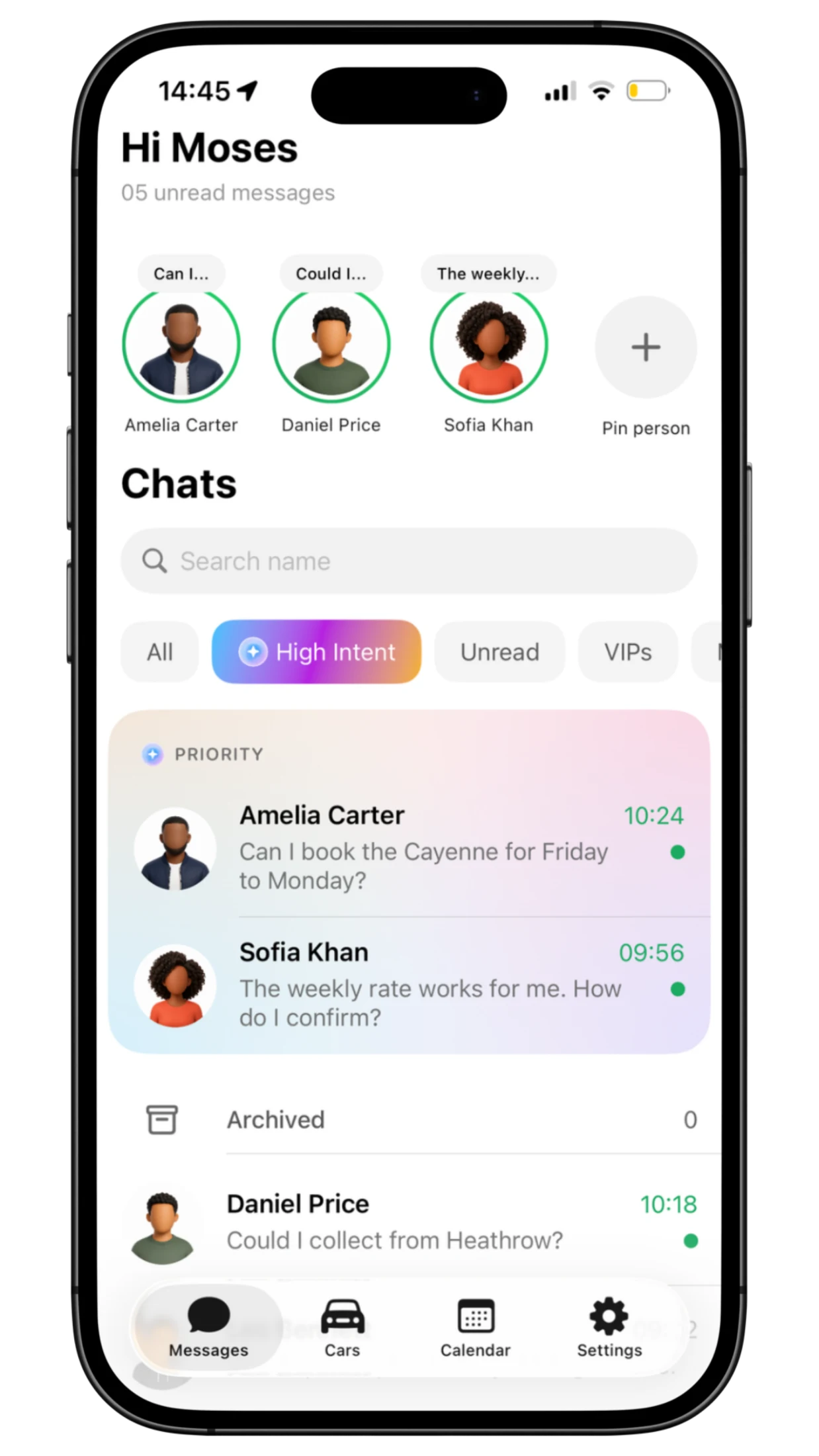
A busy inbox mixes serious rental enquiries with routine questions. I built a Priority Inbox around a simple business need: help the team see where their attention can make the biggest difference.
The priority view uses AI-assisted prioritisation to surface higher-intent conversations for staff to review. The cost-conscious approach is designed to avoid unnecessary repeat API usage. The aim is straightforward: spend less time sorting the inbox and give promising enquiries attention sooner, while keeping the team responsible for the response.
I designed a three-page financial and operations report, using native charts and PDF rendering. It gives the reporting work a clear hierarchy beyond the everyday screens. The export implementation exists; the report currently uses sample figures and commentary.
The interfaces have different jobs, but they need to agree on the vehicle, the customer and the rental. That relationship shaped the platform as much as the visual design.
Vehicles & rates · reservations & bookings · customer accounts · identity review · support · AI
A versioned public feed, cache checks and local catalogue snapshots help the app show the fleet and recover sensibly when a fresh connection is unavailable.
Holds, bookings and vehicle allocations are separate records. Database workflows enforce expiry and conflicting allocations, rather than relying on which buttons an interface displays.
Authenticated requests, selected catalogue context and bounded history support the concierge. The assistant explains and recommends while commercial decisions stay with the booking and staff workflows.
The work connects product structure, interface design, native and web development, data modelling and AI integration. Each layer supports a decision the customer or operator needs to make.
Define the three audiences and their responsibilities, then establish the catalogue and rental data they need to share.
Develop the visual system and the workflows around discovery, review, recovery, verification and fleet operations.
Refine contextual handoffs, the range interaction and controlled AI. Prepare consistent imagery and release material around the experience.
STR8 demonstrates how I connect visual craft with the practical work of a service. The result is a substantial web and native implementation, with the customer experience and staff tools designed around the same rental business.
Public website, native client app and staff operations app.
A condition-based, vehicle-specific interaction in the native client.
Availability and purchases answer different staff questions.
Native PDF export with illustrative report content.
A considered fleet experience, recoverable rental decisions, contextual assistance and clearer operational tools. The value comes from connecting those details through the whole service.
Release status and end-to-end service checks still need verification. Live payments, push delivery and commercial performance are separate follow-up work. No conversion, revenue or time-saving results have been supplied.
Helping someone understand a car. Carrying their decisions into the next conversation. Giving the team a clear view of the operation. That is the thinking behind STR8.
Talk about your projectWebsite, client app and admin screens, with space for the details in between.
16 supplied STR8 screens are shown in full, with the driving-range interaction featured separately below.